|
Select monitor and `90s SUBARU cars page For those who love 90's SUBARU cars |
|

| Analysis SSM(JP) | Analysis ECU(JP) | SSM for Win(vivio) | SSM for Win(Legacy) | SSM for Win(WRX) | SSM for Win(SVX) | |
| Cruise Control | Radiator Fan | Tie rod/Tie rod end |

|
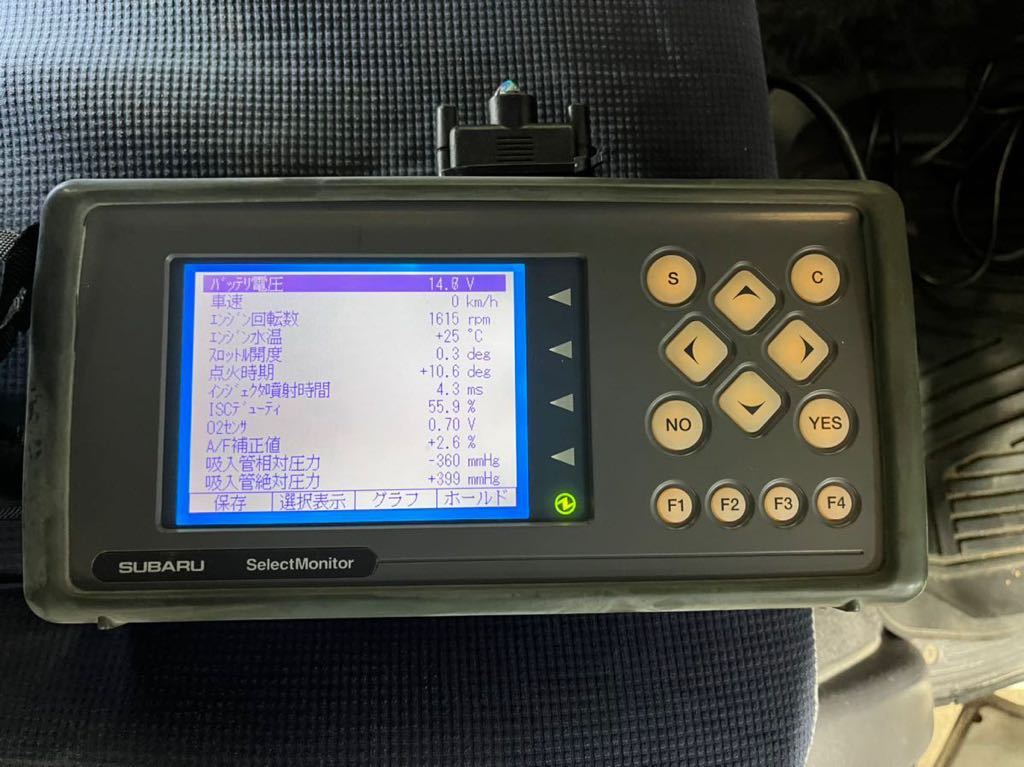
Reproducing the functions of the SUBARU Select Monitor on a Windows PC When my car has a problem and I take it to the dealer, the mechanic connects a machine and checks it. That's the Subaru Select Monitor. This device has been updated several over the years, and it seems that the type called SSM2 was compatible with Subaru vehicles until about 1998, before OBD II became available. As the car gets older, parts here and there start to wear out. Until the 1980s, cars had carburettors, which can be maintained only by mechanical disassembly, but since they changed to electronic fuel injection using a microprocessor, the car becomes useless when the ECU or sensors deteriorate or become damaged even if the mechanical parts in working order. In Japan now, it is no longer possible to pass the vehicle inspection if a warning indicator such as a check engine light. |
|
| This is a big problem for the '90s cars. You usually need diagnostic equipment such as a select monitor since sensor degradation cannot be seen just by looking at it. It is difficult for users to obtain this because it is not sold to the general public though SUBARU dealers and only auto repair shops can buy it. However, there seems to be someone in the UK who analysed this select monitor. Please refer to "Diagnostics and Datalogging for Subaru SVX" website with click here. My software was basically designed from the information in there. Many thanks to Phil Skuse for the information. In 2026, the Subaru dealer mainly uses SSM3 and SSM4, which are ODB II. The support of SSM and SSM2 for 90's cars seem to have expired, and they are not used now, and these old cars which has no ODB II ports may become impossible to diagnose in near future. |
I am supporting KK4/KK3 vivio (`92-`98). But,it is not confirmed yet at all and it is beta version now. What "Select Monitor for Windows (VIVIO edition)" can do are as follows ` Note1:The communication speed of the serial interface is slow at about 2000bps. Only a few parameters can be read out per second. Specifying many parameters slows down the display update. Note2:It takes several hours to read the ROM data. If you try to read it without starting the engine, the battery will definitely go flat. Take sufficient precautions, such as charging the battery with a charger. |
Download and install Download the zip file from the link below and extract it to any folder on your PC. I am not using the registry. Configuration values are saved in the "select_monitor.ini" file in the application installation folder. The .ini file cannot be customized for other SUBARU cars.(Support for other car models may be available upon request.) SUBARU Select Monitor for Windows (VIVIO WRX edition) Build 260205 Right click to download  Beta version Beta versionCurrent supported ECU ROM ID and Correspondence in the future The currently supported VIVIO ECU ROM IDs are as follows. If the ROM ID is not registered, you can use only reading of ROM data function. If you send me your ROM ID with your vheicle information and whole ROM data, I will register your ROM ID.
|
|
About FTDI drivers The USB-SSM2 cable driver is likely built into Windows 10/11 as standard, but if it does not work correctory or COMxx does not appear in the ECU diagnosis page, I recommend reinstalling the D2XX driver.Please refer to FTDI's driver page. This application requires the D2XX driver, not the VCP driver, to use all the features of the FT-232R. According to the FTDI website, the latest driver seems to support both VCP and D2XX. |
About localization This tool was started in Japanese and English version, but with the cooperation of users in various countries, SSMW for other car models will be available in other languages. At the same time, VIVIO edition will automatically support such language. But, some sentense for special for VIVIO will not translated and still written in English. |
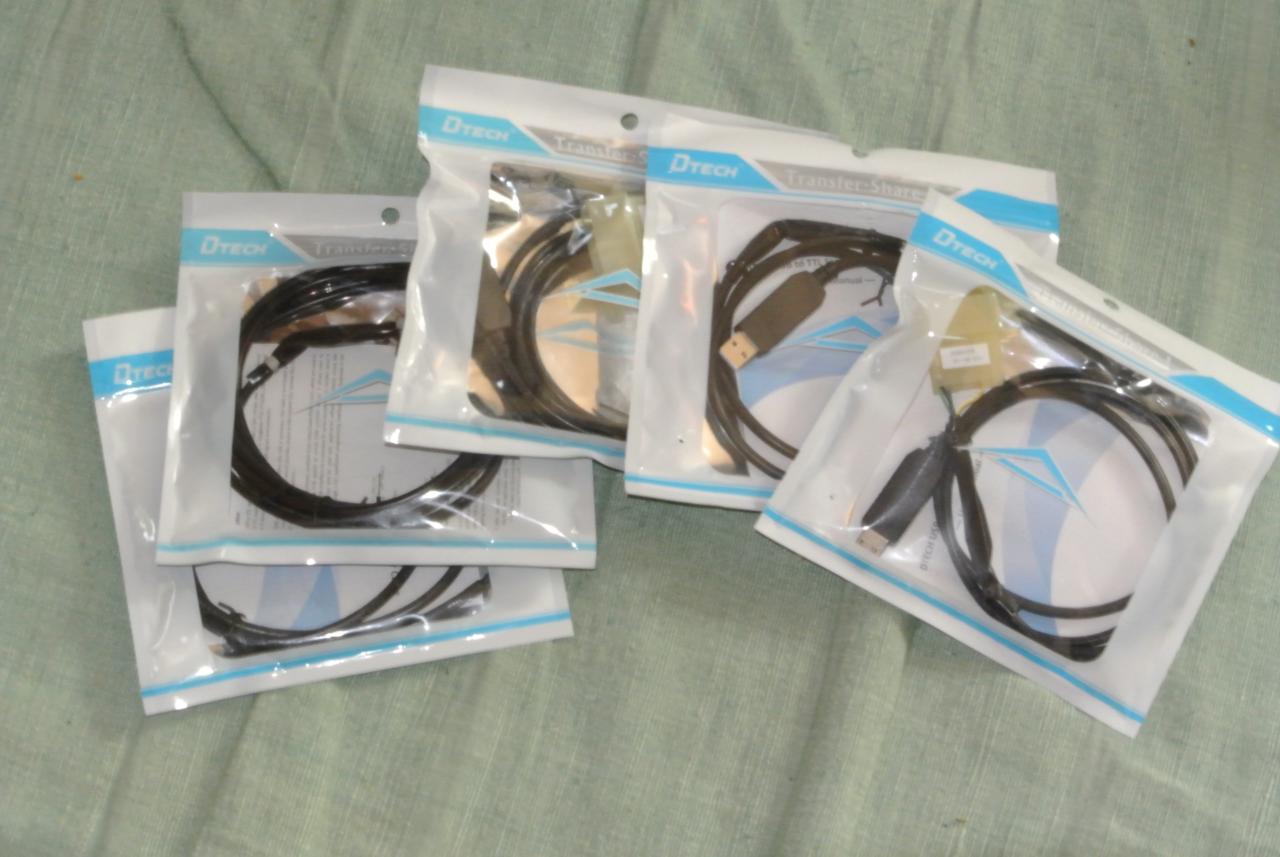
About the USB-Serial cable The select monitor protocol for VIVIO is 5V TTL level asynchronous serial communication (UART).A USB-to-serial conversion cable is required for this communication on a Windows PC. Because I need to use same serial communication program with SSM for SVX, I need to use same cable for VIVIO. You can download the schematic of this cable on this page, so you can create it yourself. (If there are many requests, I will consider selling it. The cables used in this software are basically the same as for SVX. (But don't voltage level shift for '92 SVX. I will not work). I think that a cable using FT-232R can be used without problems. A similar USB serial cable seems to be sold by a company that provides software called EvoScan, but this software uses the FT232R's native driver (same basic The same program is used to read the data). Therefore, it will not work properly unless it is a cable using FT232R. Rev1.5 For middle generation GC8/GF8 Impreza Download the schematic in PDF I make some cable for '97-'98 GC8 Impreza or VIVIO as stock. |
|
|
About Disclaimer and Updating In order to avoid trouble, I describe the minimum description of the license. Software License
|
Development cooperation and contact information I would appreciate it if you could help me with the development of this software. I own a VIVIO, but it is a carburetor model and does not have an ECU. I would really appreciate help from anyone who owns a VIVIO with an ECU. It took me some effort and money to design this software and cable. I can't decide how much maintenance I should do for the release of this software, but I decided to make this software a donationware. The method of donation shall be an E-mail type Amazon gift or PayPal. Donation amount is arbitrary. Please donate any amount if you use it and find it valuable. Email:  Please contact the same email address for bug reports and improvement requests. Please contact the same email address for bug reports and improvement requests.Click Icon to PayPal me 
I thought about posting a link to Amazon Gift, but it seems that it is judged as a spam site (fraudulent site). Sorry to trouble you, but please search for "Amazon Gift Cards (E-mail type)". |
|
|
|||